
To delete a user account in the ISW 2026 app, the following steps must be performed:
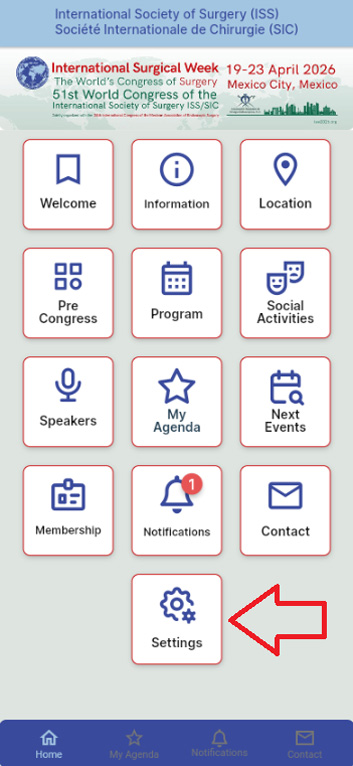
1.- Enter the ISW 2026 app and select the "Setting" button.
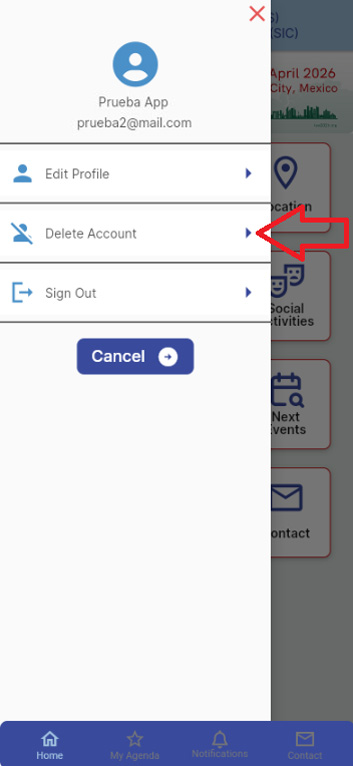
2.- Select the "Delete my Account" option.
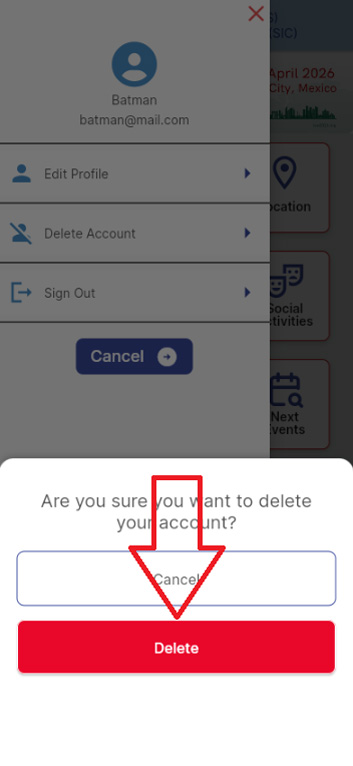
3.- Confirm that you wish to delete your user account by selecting the "Delete Account" option.
4.- When the user account is deleted from the app, the session will close and you will remain on the login screen.